Find
Search for a scene, quote, person, or visual detail in plain English.
Focus MCP New
Focus MCP lets compatible AI agents find exact moments in videos stored on your computer. Your agent can inspect the source, prepare Selects, build sequence proposals, and get clips ready for export.
Local video indexing. Approval required before changes.
Search across speech, visual details, people, and indexed context. Focus returns the video, exact time range, and the evidence behind the match.
query: "hiker reaches the waterfall" · scope: visual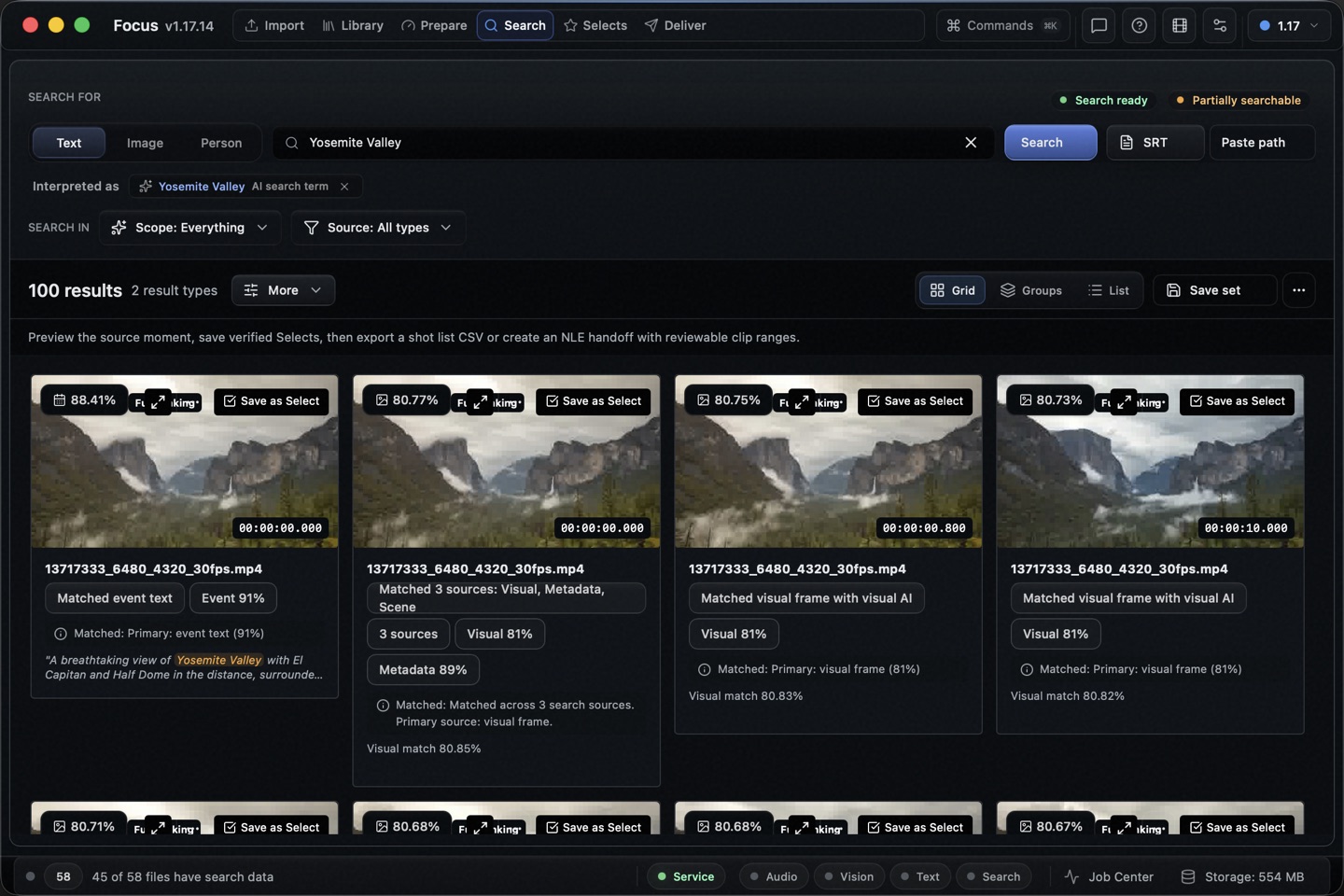
Focus gives your agent a careful path from a vague memory to source-backed editorial work.
Search for a scene, quote, person, or visual detail in plain English.
Inspect the source moment, transcript, nearby context, and readiness warnings.
Build a review queue, Selects list, sequence, or export proposal.
Review the proposal in Focus before any editorial change is applied.
Focus indexes your source videos on your computer. The local MCP server returns only the bounded results your agent requests. It does not send your video library to a Focus cloud service.
Your chosen agent may send returned text or metadata to its model provider. Check that provider’s privacy terms before connecting private material.
Focus MCP exposes 22 tools today. Agents can read your library, search moments, inspect evidence, and prepare approval-required actions.
Search speech, visuals, people, and indexed video context.
focus_search_momentsfocus_search_videosCheck the source, time range, transcript, and nearby evidence.
focus_inspect_momentfocus_get_video_transcriptPrepare approval-required work for Focus to apply.
focus_propose_selectsfocus_propose_sequencefocus_propose_exportRead library status, sources, indexing coverage, and active work.
focus_get_library_contextfocus_get_library_healthThe same focus_* contract powers the Focus in-app assistant and external MCP clients.
Focus includes a local focus-mcp helper and ready-to-copy setup for Codex, Claude Code, and Claude Desktop.
codex mcp add focus -- /Applications/Focus.app/Contents/MacOS/focus-mcpFocus shows the correct helper path for your Mac or Windows installation.
Focus MCP is a local Model Context Protocol server for Focus. It gives compatible AI agents bounded tools to search and inspect your Focus video library, then prepare work for your approval.
No. Focus indexes your source videos on your computer, and the MCP server runs locally. It returns only the requested search results, metadata, and bounded text evidence. Your chosen agent may send those returned results to its model provider under that provider’s terms.
Focus includes setup snippets for Codex, Claude Code, and Claude Desktop. The server uses standard local stdio MCP, so other compatible clients can connect to it too.
An agent can find and verify moments, then prepare Selects, sequence, review queue, and export proposals. Focus requires your approval before it applies those proposals.
Install and open Focus. In Focus, open Settings, then Advanced, then Agents. Copy the setup snippet for your agent and run the built-in test.
Focus MCP
Let your agent find the exact moment, check the source, and prepare what comes next.
Available for macOS and Windows.