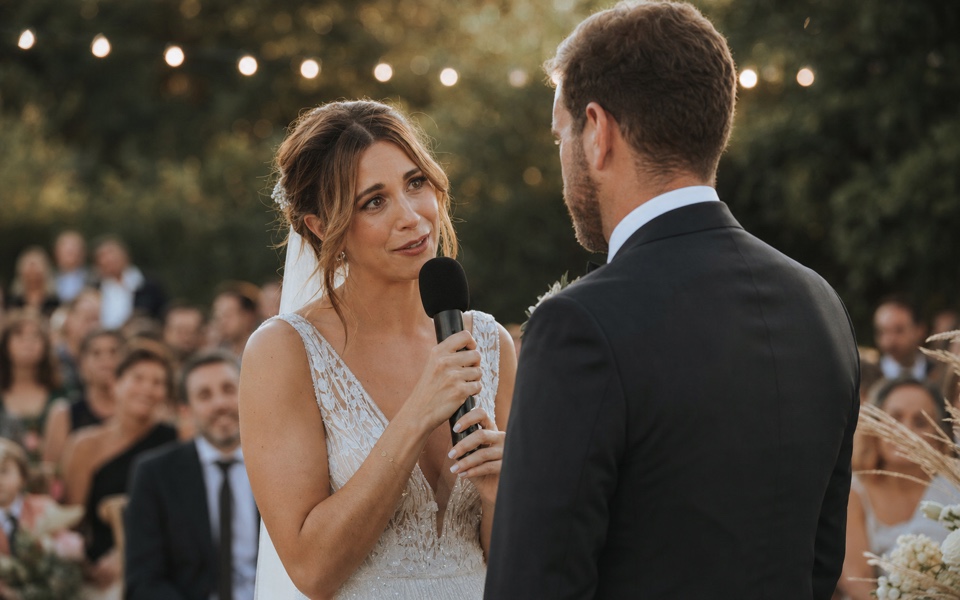
Find vows, speeches, reactions, and key scenes, then send clean selects to your editor.
One-time paymentNo subscription creep
Smart filtersPeople, vows, speeches
Built for speedFrom ingest to NLE
People
Wedding highlight selects (3)


Ready to export
Export clean selects to your NLE.
Export the selected source ranges as Premiere XML, FCPXML, or EDL. Focus also exports SRT subtitles and CSV logs when the handoff needs text.
Export to
Sequence preview
00:01:34:1200:12:18:0700:27:45:19Short answer
Can Focus help wedding videographers find vows and speeches faster?
Yes. Focus helps wedding editors search vows, speeches, reactions, and ceremony moments locally, then build selects and export clean handoff timelines before final polish.
Best for multi-camera ceremonies, speeches, and deadline-driven highlight edits.
Search spoken vows and speeches without rewatching every long timeline.
Keeps private client footage on your own machine and drives.
Wedding footage has zero margin for misses
Find vows, speeches, and ceremony moments quickly so paid wedding deliveries stay on schedule.
Vows and speeches are buried across multi-camera timelines and long ceremonies.
Client delivery deadlines leave little room for manual searching.
Missing emotional beats directly hurts perceived quality and trust.
Fast retrieval for client-critical wedding moments
Focus helps wedding editors search dialogue and scenes quickly, build selects, and export clean handoff timelines.
Vow and speech retrieval
Search spoken lines and jump directly to emotional moments.
Deadline-friendly select workflow
Build first selects faster before final polish in your NLE.
Private local workflow
Keep client footage on your own machine and drives.
What changes
Spend the edit on the story, not the search.
Focus keeps the original wedding media in place. It indexes selected folders locally, links search results to source timecodes, and exports metadata-based handoff files for the finishing edit.
Ingest wedding footage folders
Point Focus to ceremony, speeches, and b-roll source folders.
Search and collect key beats
Recover vows, reactions, and speeches by query instead of scrubbing.
Export to finishing workflow
Send your draft structure to Premiere/Resolve/Final Cut for final delivery.
Related pages
Search Wedding Footage by Speech
Find vows, speeches, names, reactions, and phrases in wedding footage.
Premiere XML Export
Generate Premiere-ready XML from local AI search results.
Alternative to Jumper
Compare Focus, Jumper, and Jumper Pro on pricing tiers, license checks, and workflow.
Alternative to RoughCut
Compare script-to-timeline automation with a broader pre-edit intelligence layer.
For Video Editors
A workflow page for editors handling client deadlines.
Deliver weddings faster without missing the moments that matter.
Use Focus to protect quality under real client deadlines.